Free DDNS (Dynamic DNS)
for CCTV, DVR and NVR remote access
FastDDNS keeps a permanent hostname pointed at your changing public IP address, so the address you use to reach a camera, DVR or NVR stays the same after every ISP reconnect. The update API is DynDNS-compatible, so selected routers, servers and update clients work too.
What is DDNS and how does it work?
Most home and small-business internet lines get a public IP address that changes — after a reboot, a line drop, or whenever the ISP decides. Anything still pointing at the old address stops working. Dynamic DNS fixes the name instead of the address: you keep one permanent hostname, and your camera, recorder, router or update client reports its current public IP to FastDDNS. FastDDNS updates the DNS record when that address changes. The record carries a 120-second TTL, though DNS caches may briefly keep returning the previous address.
That is the whole job of a free DDNS service, and on FastDDNS it stays free: one permanent hostname renewed once a year, plus unlimited temporary hostnames that each stay active for 30 days. The update endpoint is DynDNS-compatible and works with supported Hikvision and Dahua recorders, MikroTik and pfSense routers, and any custom HTTP update client.
Read the DDNS FAQ →Simple, transparent pricing
Start free, upgrade when you need more.
- 1 hostname with annual renewal ?
- Unlimited temporary hostnames (30-day active period) ?
- DynDNS-compatible HTTP update API
- 20 hostnames
- Hostnames stay active with your plan ?
- No ads in the mobile app
- Priority support
- 50 hostnames
- Hostnames stay active with your plan ?
- No ads in the mobile app
- Priority support
- 120 hostnames
- Hostnames stay active with your plan ?
- No ads in the mobile app
- Priority support
What can you connect?
FastDDNS keeps your domain pointing to the right IP even when your public IP changes.
Access your CCTV from anywhere
Your DVR/NVR IP can change after ISP reconnects. FastDDNS updates your hostname automatically so remote viewing stays stable.
Supported Brands
Manage DDNS and troubleshoot your network from your phone
Create and rename hostnames, watch every IP change, and run the Auto Setup wizard that writes DDNS settings to a supported camera or recorder over the local network, with your phone on the same site WiFi — no laptop up the ladder.


-
Create and manage hostnames
The full hostname list with update history, expiry and quota, plus push alerts when your public IP changes.
-
Configure supported CCTV devices
Auto Setup registers the device and writes its DDNS configuration for Hikvision, Dahua, EZVIZ, Imou, HiLook and XM/Xiongmai devices.
-
Check ports, public IP and CGNAT
Port checker, CGNAT and NAT loopback tests, LAN and camera scanners, ping, traceroute, DNS and WHOIS lookups.


Works with 50+ device brands
Optimized for CCTV cameras and recorders. Some non-camera clients can be configured manually on selected models.


Up and running in 3 steps
Create a free account
Sign up in seconds and choose your DDNS hostname.
Install or configure update client
Use camera/DVR/NVR DDNS settings, or our Windows/Linux client when your device does not support direct updates.
Stay connected
Your hostname always resolves to your current IP so your camera remote access stays stable.
How FastDDNS compares
Comparing popular DDNS options for CCTV, DVR, and NVR remote access.
| Feature | FastDDNS Best choice | No-IP Free | DynDNS |
|---|---|---|---|
| Free hostnames | 1 + unlimited 1yr + 30d option | 1 (30d confirm) | No ✗ Paid only since 2014 |
| Confirmation required To keep hostname active | Annual (1yr) ✓ | Every 30 days | Never ✓ |
| Domain options | >3 | >30 | >30 |
| Camera / CCTV support | Dedicated ✓ | Basic | Basic |
| Dashboard / GUI | Yes ✓ | Yes ✓ | Yes ✓ |
| Paid plan (annual) | From $20/yr | From $29.99/yr | From $55/yr |
No-IP 30-day confirmation vs FastDDNS yearly renewal
No-IP free requires manual confirmation every 30 days. Missing one email can disable your hostname and break remote access. FastDDNS free hostnames renew yearly, and paid hostnames stay always-on without confirmation.
See the full FastDDNS vs No-IP comparison →FastDDNS updates and guides
Read setup tutorials and troubleshooting knowledge for DDNS deployments.
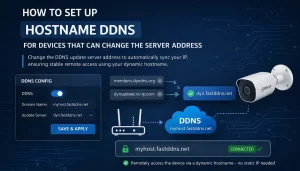
Replace No-IP or DynDNS Server Address with FastDDNS
How to replace the default No-IP or DynDNS server address with FastDDNS. Works on many Hikvision, Dahua, and OEM devices that let you edit the server address.
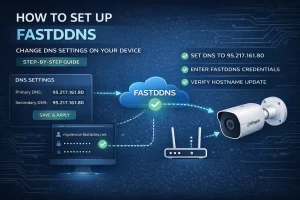
Free DDNS Setup by Changing Your Device's DNS
Set up free DDNS on a camera, DVR or NVR by pointing its DNS at FastDDNS and filling in its own DDNS menu — including what the change costs you.
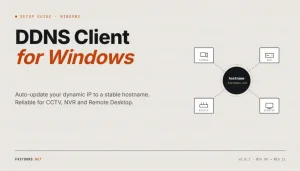
DDNS Client for Windows: Keep a Hostname on Your IP
Install the FastDDNS Windows client to keep a hostname pointed at a changing IP — when a PC is the right place to run it, and when it is not.
Stop losing access to your devices
Join FastDDNS users who keep cameras and servers reachable every day.
No credit card · Setup in < 5 minutes